
Topaz DeNoise 6 released
 Topaz releases DeNoise 6, an updated version of their excellent noise reduction software, complete with new features. As always, the update is free to anyone who already owns DeNoise. And for those who don’t own it, DeNoise 6 will be on sale ($30 off!) from February 24th – March 20th. Please use the coupon code "NOISEFREE" with you can take advantage of the discounted price of $49.99 (regularly $79.99).CLICK HERE TO GET DeNoise 6Topaz DeNoise is designed to let you shoot anywhere in any light and still get crisp, clear and noise-free images. Specializing in extremely noisy high ISO images, DeNoise removes distracting image noise while preserving image detail, giving you the image you wanted without the noise you don’t. Major features introduced in Topaz DeNoise 6 include:
- Standalone Application - DeNoise 6 now works as a standalone product and doesn’t require a host editor to work. Although it can still be used as a plugin through Photoshop, Lightroom, and other supported host programs.
- Camera Specific Presets - DeNoise 6 introduces dozens of presets based on various camera profiles, with multiple ISO presets for each camera.
- Batch Processing (in standalone mode only) - DeNoise 6 introduces batch processing, allowing you to process a whole folder of images at once. That means no more need for Photoshop actions! Note that batch processing is only available in the standalone version, not the plugin version.
- Support for High DPI (4k) monitors in Windows 7/8/10
Please click on the images for a larger view.


A Day on the Coast

This is a blog post. You can login, go to Posts, and edit each of these to get some initial blog posts set up. Just update the title, change the featured images, and add a paragraph or two of text. Image courtesy of www.unsplash.com.

Important Days

This is a blog post. You can login, go to Posts, and edit each of these to get some initial blog posts set up. Just update the title, change the featured images, and add a paragraph or two of text. Image courtesy of www.unsplash.com.

Along the Shore

This is a blog post. You can login, go to Posts, and edit each of these to get some initial blog posts set up. Just update the title, change the featured images, and add a paragraph or two of text. Image courtesy of www.unsplash.com.

Portraits and Light

This is a blog post. You can login, go to Posts, and either delete these or edit each them to get some initial blog posts set up. Just update the title, change the featured images, and add a paragraph or two of text. Demo image courtesy of www.unsplash.com.

In the City

This is a blog post. You can login, go to Posts, and either delete these or edit each them to get some initial blog posts set up. Just update the title, change the featured images, and add a paragraph or two of text. Demo image courtesy of www.unsplash.com.

Afternoon Light

This is a blog post. You can login, go to Posts, and either delete these or edit each them to get some initial blog posts set up. Just update the title, change the featured images, and add a paragraph or two of text. Demo image courtesy of www.unsplash.com.

Splashes of Color

This is a blog post. You can login, go to Posts, and either delete these or edit each them to get some initial blog posts set up. Just update the title, change the featured images, and add a paragraph or two of text. Demo image courtesy of www.unsplash.com.

A Million Lights

This is a blog post. You can login, go to Posts, and either delete these or edit each them to get some initial blog posts set up. Just update the title, change the featured images, and add a paragraph or two of text. Demo image courtesy of www.unsplash.com.
Adobe Creative Cloud BUG may delete files in your root directory if you are a MAC user
From PetaPixel "Here’s a major warning to those of you who use Adobe Creative Cloud on a Mac: the latest version of Creative Cloud has a bug that deletes unrelated data from your root directory without warning.The bug in Adobe Creative Cloud version 3.5.0.206 was discovered by the cloud backup service Backblaze, whose customers were having their data deleted by Adobe’s app."CLICK HERE FOR DETAILS ON PETAPIXEL

Everyday Wonders

This is a blog post. You can login, go to Posts, and edit each of these to get some initial blog posts set up. Just update the title, change the featured images, and add a paragraph or two of text. Image courtesy of www.unsplash.com.


Motorized adapter to auto focus manual focus lenses - Leica & Voigtlander
TECHART PRO adapter is the world’s first autofocus adapter for manual focus camera lenses. It is able to turn your manual Leica M lens into an autofocus lens and use it with Sony A7 cameras that have Phase Detect focusing sensors.See more at http://techartpro.com
Iceland - Sept 17 - 25, 2016
 Plans for the 2016 September Iceland photo tour and workshop have been finalized. Exceptional fall colors and if luck prevails, the Aurora Borealis will make this trip exceptional.From the western peninsulas of Snæfellsnes and Reykjanes to the exquisite south coast including the exquisite black sand beaches and icebergs in Jökulsárlón and surrounding areas this trip is designed for all levels of photographers. This trip is limited to a maximum 10 participants.All Iceland photo tours and workshops for the past 4 years were fully subscribed within a few days so please register as soon as possible.CLICK HERE FOR DETAILS
Cape Cod - after Lexi
After Friday's snow storm, Saturday's skies and a thin layer of high clouds were a good indication for photo opportunities. heading out to the Cape this next image was off Rt. 1 in Foxboro. (please click on the images for a larger rendition) There are many great opportunities for some exceptional color in Cape Cod. This next image is an outhouse at a farm. A favorite location we always visit during my "Light of Cape Cod" workshops that I will be posting in the next few days.
 Low tide coincidental with the sunset in the flats are another set of my favorite locations.
 With the way the low cloud bank was forming I did not expect much of a sunset. There were some interesting cloud formations and a lovely warm glow on the horizon.
 As photographers we know never to leave after the sun sets - you never know what the skies might do. Staying pays off: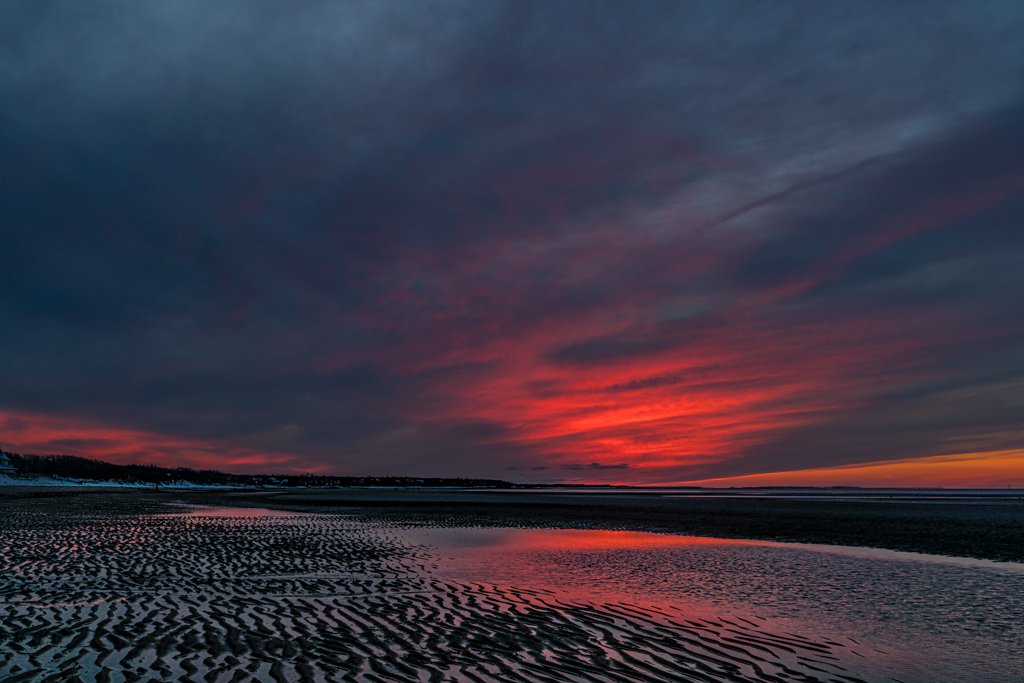
Lexi comes to an end with some lovely light
 After dumping 12 plus inches of heavy wet snow Lexi was done and the skies opened up briefly. Some beautiful light on the tops of the trees forced me to stop shoveling and grab my camera for a few shots. Sure was nice to take a break from shoveling.


ON1 Resize 10 now available
 Portland, OR - February 1, 2016 – ON1, Inc. has announced ON1 Resize 10, the latest version of their award winning Genuine Fractals® technology. ON1 Resize 10 has also been added back in ON1 Photo 10.1, a free update for Photo 10 owners.ON1 Resize allows photographers to get the highest quality photo enlargements, using Genuine Fractals technology–patented, fractal-based interpolation algorithms—to enlarge photos without the loss of sharpness or detail. Popular features like the gallery wrap and tiling options are included, an overhaul of the user interface, and more.The Gallery Wrap feature creates extended margins for wrapping photos around wooden stretcher bars when printing to canvas. Photographers can preview the gallery wrap results in real time, allowing them to fine tune their settings speeding up the gallery wrap creation process.The Tiling Feature gives the ability to divide photos into mosaic tiles for easy printing and proofing. This feature also makes it easier to save and print individual tiles when sending files to a print service provider. It’s also easy to create canvas diptychs, triptychs or mosaics when combined with the gallery wrap feature.The sharpening methods allow photographers to sharpen small details without causing halos on larger, distinct edges. The sharpening methods can target out-of-focus photos and adapt sharpening amounts automatically to the size of image details.There are also hundreds of presets to help save time. Presets can also be modified and saved for resizing a photo, applying a specific sharpening amount and adding a gallery wrap– in one step. The ability to combine several steps and save a preset is a big benefit for workflow efficiency.Additional features include batch processing for photos of mixed size, type and orientation, presets for common printer resolutions, presets for panoramic and no-crop sizes, and film grain simulation.About ON1 Resize 10 and ON1 Photo 10ON1 Resize 10 works on both Mac OS X (10.8, 10.9, 10.10, 10.11) and Microsoft Windows (7, 8, 10). Resize 10 also works as a plug-in to Adobe Photoshop® and Lightroom CC, or as a standalone application. Version 10 supports Photoshop CC 2015, CC 2014, and CS6; Lightroom 6, 5, 4; Photoshop Elements 14, 13, 12 and 11.ON1 Photo 10 (and 10.1) is a full-featured photo editor that works either as a plug-in editor to Adobe Photoshop and Lightroom CC, or as a standalone application. ON1’s open system allows access to your photos no matter where they are stored: your computer, your network, or on cloud-based storage services. Photo 10 also supports the key online storage services, including Dropbox, Google Drive, and Microsoft’s OneDrive. ON1 Photo 10 works on both Mac OS X (10.8, 10.9, 10.10, 10.11) and Microsoft Windows (7, 8, 10). Version 10 supports Photoshop CC 2015, CC 2014, and CS6; Lightroom 6, 5, 4; Photoshop Elements 14, 13, 12 and 11.Availability and pricingON1 Resize 10 is available immediately for download from the ON1 website, and has a price of $79.99 for the full version. A 60-day trial is also available immediately from the ON1 website.Resize 10 is also available as part of ON1 Photo 10. Photo 10 is currently available for $109.99 and $89.99 for the upgrade. You can also try ON1 Photo 10 free for 60-days.Click Below:
ON1 Effects 10 - Free Download

 Portland, OR – February 3, 2016 – ON1, Inc. has announced ON1 Effects 10 FREE, a new free version of its effects app for Mac OS X and Microsoft Windows. Photographers will find powerful tools for adding style to their photos that can be difficult or time-consuming to create in Photoshop, Lightroom, or Photoshop Elements.ON1 Effects 10 FREE includes:The free version includes a select number of stackable effects (filters, presets, borders, and textures) from the full version of ON1 Effects 10. In all, over a hundred photo effects are included.Two of the most popular ON1 filter categories have been added in the latest release. These are the Dynamic Contrast Filter and the HDR Look Filter. New preset categories for Color Grading, Faded and Matte Looks, and Haze Reducing are also available.Effects 10 FREE includes the ON1 Perfect Brush technology. The edge detection in the Perfect Brush allows users to brush their effect(s) on specific areas of a photo.The masking tools allow users to selectively mask or paint in effects on parts of photos. Add any effect to or remove it from a specific part of a photo with a simple brush stroke. The set of masking tools are easy to use and perfect for local adjustments, such as brightness, contrast, and detail.The Filter Stack allows users to combine different effects to create and customize their own looks. Each effect can be applied to its own layer users can adjust and fine-tune.ON1’s Perfect B&W module is also integrated into Effects 10 FREE, which lets users apply the included filters—including the popular Dynamic Contrast effect—to monochrome photos.Users will have complete control over the organization of presets and preset categories (same in the full version), making it easy to customize Effects FREE.About ON1 Effects 10 FREEON1 Effects 10 FREE works on both Mac OS X (10.8, 10.9, 10.10, 10.11) and Microsoft Windows (7, 8, 10). Effects 10 FREE also works as a plug-in to Adobe Photoshop® and Lightroom CC, or as a standalone application. Version 10 supports Photoshop CC 2015, CC 2014, and CS6; Lightroom 6, 5, 4; Photoshop Elements 14, 13, 12 and 11. It also includes the Apple Photos extension. For a full version of the ON1 10 suite click below:
Wild Flowers, Smoky Mountains and Cades Cove - Spring Workshop
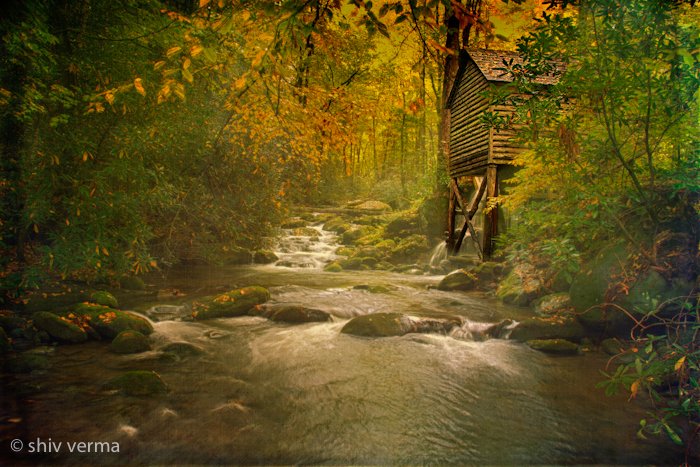 April 17 to 22, 2016 - Six Day 5 Night Photo WorkshopGreat Smoky Mountains National Park is a world-renowned preserve of wildflower diversity over 1,660 kinds of flowering plants are found in the park, more than in any other North American national park. In fact, the park is sometimes referred to as the “Wildflower National Park.” From the earliest hepaticas and spring-beauties in the late winter to the last asters in the late fall, blooming flowers can be found year-round in the park. Wildlife is fairly abundant in Cades Cove and we will have opportunities if lucky, to photograph bears. Landscapes, rivers, waterfalls and much more - a photographer's paradise.CLICK HERE FOR DETAILS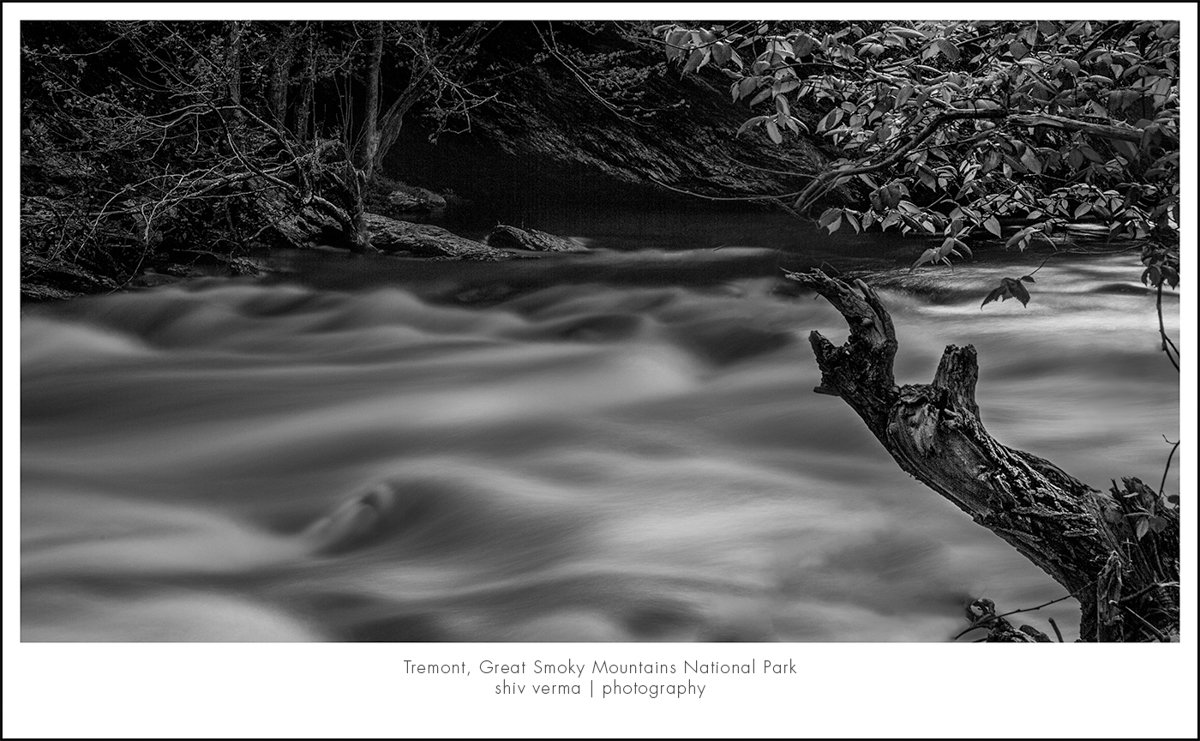
Panasonic Leica DG Vario-Elmar 100 - 400mm F/4 - 6.3 lens
 Last week at the Space Coast Birding and Wildlife festival I had the opportunity to briefly try out a pre-production unit. The lens was one of the first pre-production units and a lot has changed since it's manufacture. The final units will be way better in image quality, performance and handling. With that said, I will say I was truly impressed with the way the lens performed.The Leica 100-400mm is an f/4-6.3 telephoto zoom lens that gives the equivalent of 200-800mm in 35mm equivalence.The lens has a lockable zoom pull feature, so you can pull the end of the zoom to set the zoom position, or when it is locked, you need to rotate the zoom ring to vary the focal length. The lens has Power Optical Image Stabilization, and high-speed 240fps AF drive, which makes it incredibly fast in focusing performance. It is also, splash and dust proof.A feature I found most useful was the lens collar and foot that also rotates all the lens function switches. This allows you to easily access these in any orientation, landscape or portrait.In thumbnail view, hover over the thumbnail to see the focal length and exposure details. To see a larger rendition of this slide show please click here
